Blog
Uses the same content pipeline as the documentation. Enabled by default with test posts, ready to publish once you replace the content.
The Saavo template includes blog listing and article pages, using Content Collections to manage content alongside the documentation system. The blog is enabled by default, and articles are available through /blog.
If your product needs a blog, replace the test posts and add your own content for the supported languages. Content is managed in files, without a separate CMS or a visual editor in the dashboard.
Available features
Blog routes are enabled by default after template initialization:
| Feature | Default | Description |
|---|---|---|
| Switch | enabled: true | config/deploy.ts → content.blog |
| Route | /blog | Listing, with articles at /blog/:slug |
| Content directory | /content/blog | Subdirectories by language |
| Draft status | status: 'draft' | Excluded from the listing and sitemap, but still accessible with the URL |
Enabling the blog registers these routes:
/blog
/blog/:slug
Blog paths depend on the current language. The default language uses /blog, while other languages use /{code}/blog. Published articles are automatically added to the sitemap when the blog is enabled.
The template includes a 000_test-post.mdx in each of content/blog/en, content/blog/zh-Hans, and content/blog/zh-Hant to test the listing and detail pages. You should replace or remove these test posts before publishing.
Try the blog first
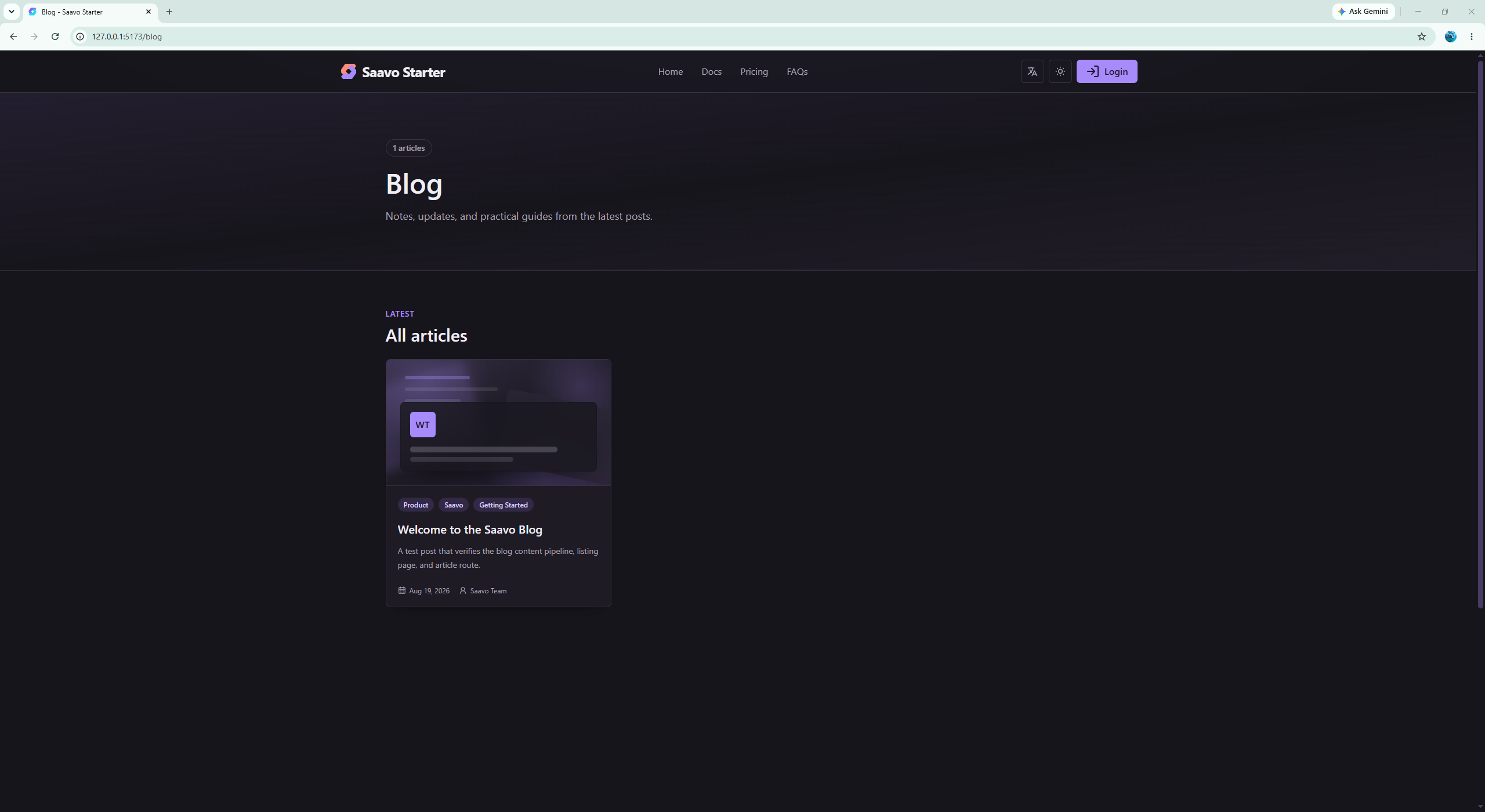
After starting the development server, open /blog. You should see the default language's test post and be able to open its detail page.
Switch to Simplified or Traditional Chinese to check the corresponding test posts. If you do not need a blog, set content.blog.enabled to false. After restarting, /blog is no longer registered.
Configure the blog
Configuration is in config/deploy.ts:
content: {
    blog: {
        enabled: true,
        baseUrl: '/blog',
        contentDir: '/content/blog',
    },
}
If you need a blog:
- Keep
enabled: true. - Replace test posts in
content/blog/{locale}/. Create a corresponding directory when adding a language. - Write your MDX and maintain the corresponding
meta.json. - Preview with
npm run dev, and runnpm run gen:collectionsif needed.
Frontmatter is similar to the documentation. Common fields include title, description, and optional date, dateModified, imageUrl, tags, categories, and author. status can be draft, published, archived, or featured.
The current listing handles only draft and featured specially: draft is filtered out, featured appears in the featured section, and all other statuses appear in the regular article list. This means archived currently does not hide an article. To take content offline, remove the article or change the filtering logic for the listing and detail pages.
Article URLs have a single slug segment. Nested paths such as /blog/category/post are not supported. Ordering prefixes follow the same rules as the documentation. See Documentation.
Disable the blog if you do not need it. Do not leave an empty listing online just because you might write something later.
Publish and manage articles
The blog uses content-driven pages. There is no separate business service to call from your APIs.
Managing blog content means writing MDX. The listing skips draft posts and displays featured posts in the featured section. Featured and regular articles are sorted separately by date, newest first. To link to an article from a product page, use its generated /blog/:slug URL.
Do not hard-code product release notes into React components and present them as a blog. The changelog has its own module. The blog is suited to standalone articles.
Pre-launch checks
Blog content is public. Before launch, we recommend checking at least the following:
- If no blog is needed,
enabledis set tofalse, and/blogis inaccessible. - If the blog is needed, every enabled language has content, or you accept missing pages.
- The listing opens, and published articles are directly accessible by slug.
- Drafts are absent from the listing and sitemap, and their URLs have not been made public.
-
archivedhas not been used to hide articles, as the current implementation still displays them. - Article titles, descriptions, and cover images use your brand instead of placeholder content.
Rebuild after changing enabled, because collections read configuration at build time.
Frequently asked questions
Next steps
Choose further reading based on what you need to build:
- Write documentation instead of blog posts → Documentation system
- Add a language directory → Add a language
- See a real product's information architecture → WebpageToPDF tutorial
If you have no content plans yet, you can disable the blog for now.
Enable it once you have articles, so the launched site does not have an empty blog.