Permissions and entitlements
Three-layer authorization with roles, capabilities, and entitlements. Declare permissions for your product and check them without rebuilding the authorization system.
The Saavo template includes a complete three-layer authorization system built on capabilities, roles, and entitlements. Adjust its default configuration to suit your product.
Capabilities have three types:
enum CapabilityType {
  Static = 'static',
  Boolean = 'boolean',
  Numeric = 'numeric',
}Static: Static capabilities do not vary by user. They represent role capabilities such asuser.*,ticket.*, andadmin.*.Boolean: Boolean capabilities vary by user. They represent feature entitlements such asstarter.download.Numeric: Numeric capabilities vary by user. They represent metered entitlements such asstarter.download.usage.
Roles and entitlements sit above capabilities. Roles primarily describe identity and responsibilities. Entitlements describe a user's product permissions and resource quotas. Capabilities are the building blocks within roles and entitlements.
A role usually contains a predefined set of capabilities. For example, the admin role may include user and order management. “Predefined” does not mean that a user's roles cannot change. It means that the capabilities included in a role are usually fixed. What changes is whether a user has the role, rather than the role's capability definitions.
Entitlements are more closely tied to business state. Users can receive them through sign-up, purchases, subscriptions, or other actions, and can consume their available quota as they use the product.
For example, a product might define:
Pro
├── download = true
├── export = true
└── credits = 1000
Here, download, export, and credits are capabilities describing what the entitlement includes.
Capabilities are abstract. They have no fixed business meaning and must be defined for the product.
Use a boolean capability to indicate whether a user has access to a feature or qualifies for something. For example:
download = trueThis indicates that the role or entitlement includes download capability.
Use a numeric capability to represent how many resources a user has available. For example:
download = 100
credits = 1000
These represent a quota of 100 downloads and 1000 credits, respectively.
The three concepts can be understood as:
- Role: Who are you?
- Entitlement: What do you have, and how much remains?
- Capability: What exactly do roles and entitlements include?
Most business scenarios do not need direct capability checks.
For example, access to the admin dashboard usually only requires checking for the admin role. To determine whether a user has purchased a feature, checking the corresponding entitlement is usually enough. To check whether quota is sufficient, you can read the entitlement's available quota directly.
Direct capability checks are needed only for finer-grained permissions or when multiple roles and entitlements share a capability.
Roles and entitlements are therefore the authorization concepts used most often in business code. Capabilities describe the permissions and resources they contain.
You generally do not need separate permission tables or permission middleware for your product. Declare roles, entitlements, and their capabilities in configuration, and let the template grant them after events such as sign-up and purchases. Pages and APIs can check roles and entitlements for the scenario, or capabilities when finer-grained control is needed.
Available features
After template initialization, the following authorization features are available out of the box:
| Layer | Configuration | Default content |
|---|---|---|
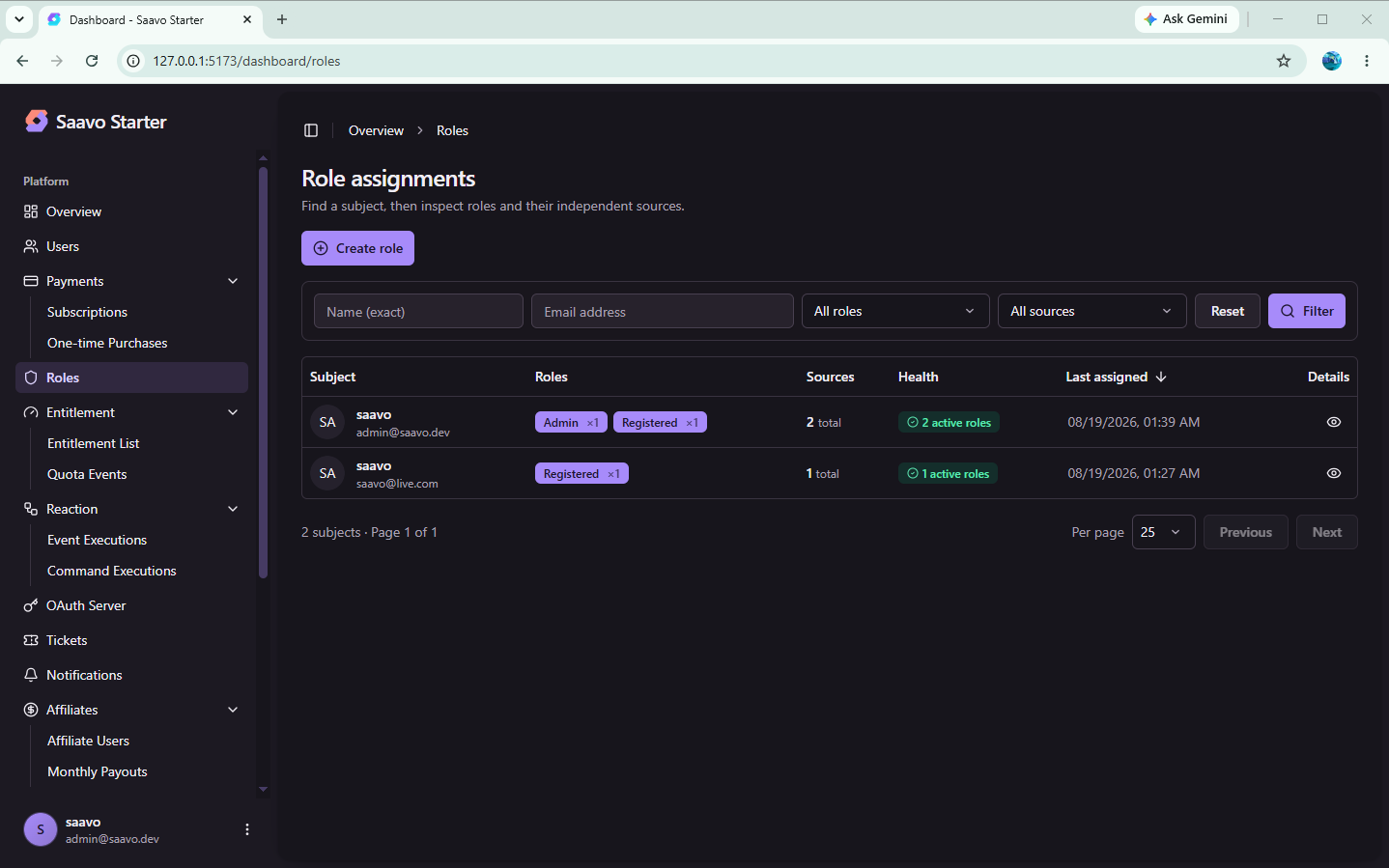
| Roles | config/roles.ts | guest, register, premium, admin |
| Static capabilities | config/capability.ts | user.*, ticket.*, admin.* |
| Entitlements | config/entitlements.ts | Example entitlement starter_download → starter.download |
| OAuth scopes | config/scopes.ts | user, basic, applied to tokens, not user roles |
The four default roles are:
| Role | When granted | Default static capabilities |
|---|---|---|
guest | Not signed in | None. A semantic role that is not written to user records |
register | Successful sign-up | The user and ticket modules |
premium | Purchase of the example plan | Same as register, with no additional static capabilities |
admin | Verified email matches adminEmails | admin, user, ticket |
The shared entry point for business code is authz, exported from src/authz/index.ts. Pages and APIs must not query role or entitlement tables directly.
Tip
premium only indicates a purchase of a paid product. Paid features are unlocked by entitlements granted through the plan's access, not by the role name itself.
Try access control first
Before changing permissions, you should follow the default lifecycle to confirm that the template grants and revokes access automatically.
Sign-up succeeds
↓
Receive the register role
↓
Access the account center, submit tickets, and use other basic features

Purchase the example plan
↓
Receive the premium role and starter_download entitlement
↓
authz.hasEntitlementCapability(c, 'starter.download') returns true

Cancel the subscription and wait for it to end
↓
Revoke the roles and entitlements granted by this purchase

Verify an email address listed in adminEmails
↓
Receive the admin role
↓
Access /dashboard
Authentication guards and authorization checks serve different purposes:
authenticatedGuard()
↓
Identify the current user and check email and 2FA requirements

authz.hasRole / hasEntitlement / isAdmin
↓
Determine what this user can currently do
Rate limiting and Turnstile are security policies and cannot replace authorization checks either.
Tip
Default user roles include basic static capabilities such as user.*, ticket.*, and admin.*, but page logic does not use these capabilities. Only administrator status restricts access to /dashboard. If you need restrictions such as denying /tickets access to users without ticket permission, add those checks to your page logic.
Configure permissions and entitlements
The default template's authorization code is a simple demonstration. When developing a product, you should review at least the following points.
Use entitlements for paid features, rather than the premium role
The example plan grants both premium and starter_download. To check access to a paid feature, use:
await authz.hasEntitlement(c, 'starter_download')Or:
await authz.hasEntitlementCapability(c, 'starter.download')Do not rely only on authz.hasRole(c, 'premium'). The role can remain as a paid-user marker, but product capabilities should come from entitlements so that access is removed when those entitlements are revoked after subscription cancellation.
To adapt the template to your product:
- Add Boolean or Numeric capabilities in
config/capability.ts. - Define entitlements in
config/entitlements.tsand list those capabilities. - Grant them through the plan's
accessinconfig/products.ts. - Check the new capabilities in your pages and APIs. Do not change the shared
authzsemantics.
For a complete example, see:
When to add a role
When you need a new static permission, first decide whether it belongs to an existing role. Add a role to config/roles.ts only when the product has a genuinely new, long-term identity category, and review every caller that checks roles.
For example, the product may need permission to create projects:
// config/capability.ts
project: {
    create: {
        type: CapabilityType.Static,
        description: { value: 'Create a project' },
    },
},
Then add project or project.create to register or a business-specific role. In the page, check:
await authz.hasRole(c, 'register')Or:
await authz.hasRoleCapability(c, 'project.create')Do not introduce ad hoc booleans such as isStaff for permission checks. The current admin dashboard checks only the admin role. Supporting other staff roles requires coordinated updates to role configuration, server-side guards, and every affected administrative entry point to keep authorization consistent.
Configure usage counts, quotas, and credits
Boolean entitlements suit features that become available after purchase and disappear on expiration, such as the example starter.download.
For per-use billing, monthly quotas, or credits:
- The capability type must be
CapabilityType.Numeric. - The plan's
access.entitlementsmust usekind: 'numeric'and specify a quota. - Call
userEntitlementCapabilityRepo.consumeQuotaBySubjectin the business Service to consume quota, and handle both the amount actually consumed and any shortfall.
The example product has no numeric entitlements. Changing display copy alone will not create a “100 uses per month” allowance. See:
Quota Events in the admin dashboard audit grants and consumption. They do not replace quota consumption in business logic.
OAuth scopes are separate from user roles
The user and basic scopes in config/scopes.ts apply to access tokens obtained by third-party applications. Even an administrator's token may have only basic scope.
Protect APIs called by third parties with authz.hasScopes or authz.authorizeOAuthRequest. Do not apply the user's admin role directly to a token. OAuth authorization is a separate system. See:
Check permissions in business code
After configuration, business code can read the current authorization result.
The basic rule is:
Do not query role, entitlement, or payment tables yourself in business code. Authenticate first, then check authorization.
Authenticate before checking permissions
Protected pages still call authenticatedGuard first, then check roles, entitlements, or administrator status after it succeeds:
const guardResult = authenticatedGuard(c);

if (!guardResult.success) {
    return c.redirect(
        getFullPath(guardResult.details?.redirectUrl as string, locale),
    );
}

if (!await authz.hasEntitlementCapability(c, 'starter.download')) {
    return c.redirect(getFullPath('/#pricing', locale));
}
APIs follow the same pattern, returning JSON on failure instead of redirecting.
Common checks include:
await authz.hasRole(c, 'register')
await authz.hasRoleCapability(c, 'ticket.create')
await authz.hasEntitlement(c, 'starter_download')
await authz.hasEntitlementCapability(c, 'starter.download')
await authz.isAdmin(c)
await authz.hasPurchasedProduct(c, productId, planId)
hasPurchasedProduct checks whether a plan has already been purchased and is useful for preventing repeat purchases. Use entitlements to control paid feature access.
The typical flow is:
Request
↓
authenticatedGuard()
↓
authContext
↓
Role / Entitlement / Capability
↓
Business Logic
Consume quota in the business Service
Numeric capabilities do not decrease automatically when a user clicks a button. A user may have multiple quota records from sign-up grants, subscriptions, and credit purchases. Use consumeQuotaBySubject in the business Service to consume quota across records by user and capability:
import { userEntitlementCapabilityRepo } from '@/core/repositories/access/user-entitlement-capability';
import { subjectOfUser } from '@/core/services/access/subject';

const result = await userEntitlementCapabilityRepo.consumeQuotaBySubject(
    workerCtx,
    {
        subject: subjectOfUser(userId),
        capabilityKey,
        amount: 1,
        eventType: 'consume',
        reason: 'export',
        metadata: { taskId },
    },
);
Here, userId comes from the authenticated identity, capabilityKey is the Numeric capability chosen by the business Service, and taskId links the consumption to this business task. The API authenticates and authorizes the request before calling the business Service. It does not call the Repository directly.
In the result, requested is the requested amount, consumed is the amount actually consumed, remaining is the balance afterward, and debt is the shortfall. If the balance is insufficient, the function consumes the available quota and returns debt. It does not automatically throw an “insufficient quota” exception. Business logic must handle this result.
Business rules determine when to consume quota. For example, a feature that charges only for successful exports should finalize consumption after confirming success. A separate balance check cannot prevent concurrent requests from passing together. The business logic must define concurrency control and how to handle insufficient balances and partial completion. Retrying the same task must not charge again. metadata.taskId is only event record information and does not provide idempotency automatically.
adjustQuotaUsed can still adjust the used quota of a specific record, but it neither distributes the adjustment across records nor prevents adjustments beyond the quota automatically. Do not treat it as a complete business charging flow. The payment lifecycle still handles grants after purchases and revocation when subscriptions end.
Do not rely on frontend permission checks
The frontend can decide whether to show an upgrade button or hide an entry point based on the current user, but data access must be checked on the server with authz. Being able to open a React page does not mean the user is authorized.
Pre-launch checks
Authorization directly affects paid features and administrative access. Before launch, we recommend checking at least the following:
-
adminEmailsinconfig/base.tscontains the real administrator email address. - An account registered with that address can access
/dashboardafter email verification. - Ordinary registered users have only the
registerrole and cannot access the admin dashboard. - Entitlement checks succeed after purchase, allowing access to paid features.
- Entitlements are revoked when the subscription ends, removing paid feature access.
- Your pages and APIs check custom roles, capabilities, and entitlements, beyond configuration changes alone.
- If using quotas or credits, the successful business flow calls quota consumption.
- New protected APIs perform both authentication guard and authorization checks.
We recommend verifying with an ordinary account and an administrator account separately. Do not rely only on a test user that has existed throughout development.
Frequently asked questions
Next steps
Choose further reading based on what you need to build:
- Restrict pages to signed-in users → Pages that require sign-in
- Restrict administrator pages → Administrator pages
- Restrict paid features → Features that require payment
- Charge by usage or credits → Define plans and integrate entitlements
- Learn how plans grant entitlements → Payments and plans
- Protect APIs called by third parties → OAuth 2.0 authorization server
- Look up role, capability, and entitlement configuration fields → Configuration files