Product design and prototype validation
Define the product direction, first-release scope, and PDF conversion approach for WebpageToPDF.
This article starts with market research, develops the product scope, and then validates an implementation approach with a technical prototype.
Market research
A vague idea is not enough to start writing code for a product. At a minimum, first establish who will use it, when they will use it, and which problems existing products have not solved.
As the domain name suggests, this product is a webpage-to-PDF tool. A user enters a webpage URL, the server converts it, and the resulting PDF is available to download.
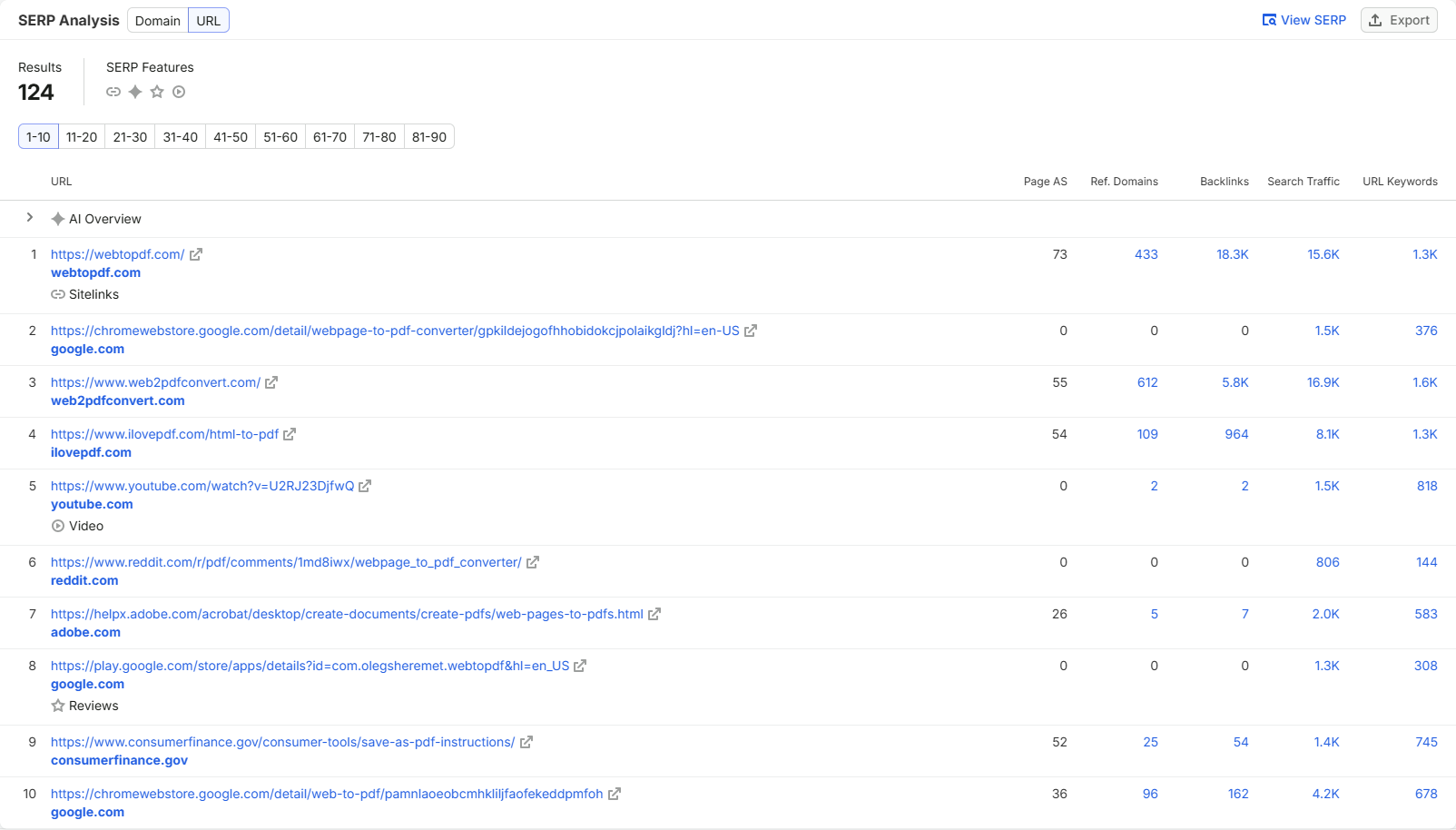
I started by looking at search results for “webpage to pdf.” The keyword gets some search traffic, but competing for it is difficult. The top three results are large sites that have been operating for years, with many backlinks and strong domain authority. A new site has almost no chance of reaching the top three in the short term. Even reaching the top ten would be a good start.
The top ten include Reddit posts, two Chrome extensions, an application, and three online conversion tools. This suggests that people searching for “webpage to pdf” are not necessarily looking for an online tool. Some may prefer a browser extension or desktop application.
webtopdf
I tried several of the highest-ranking products. Webtopdf offered the widest range of options and a good overall user experience.
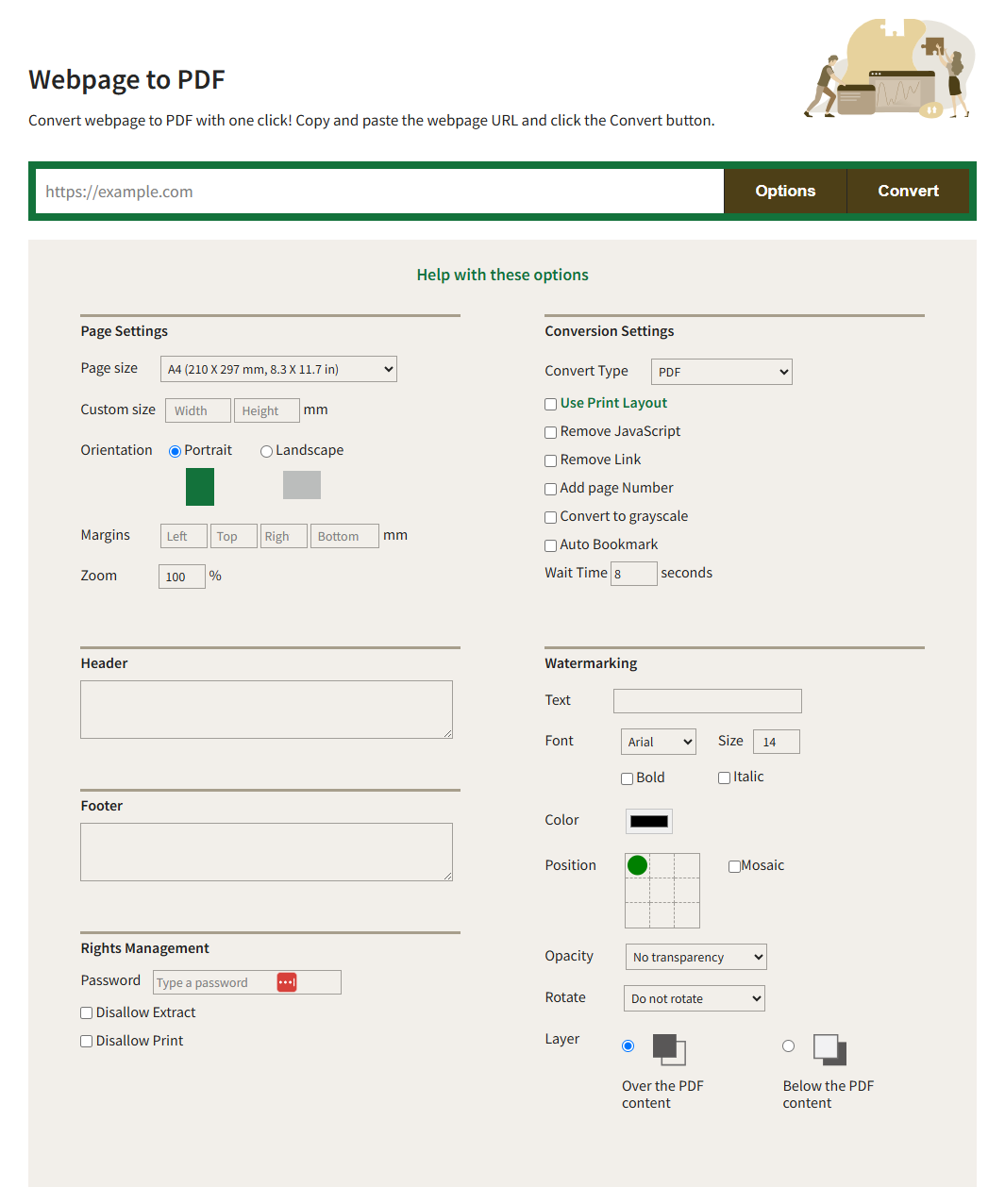
Its conversion results were generally usable, and it seemed to actively handle distractions such as cookie consent popups. Occasionally, though, the output used a mobile layout:
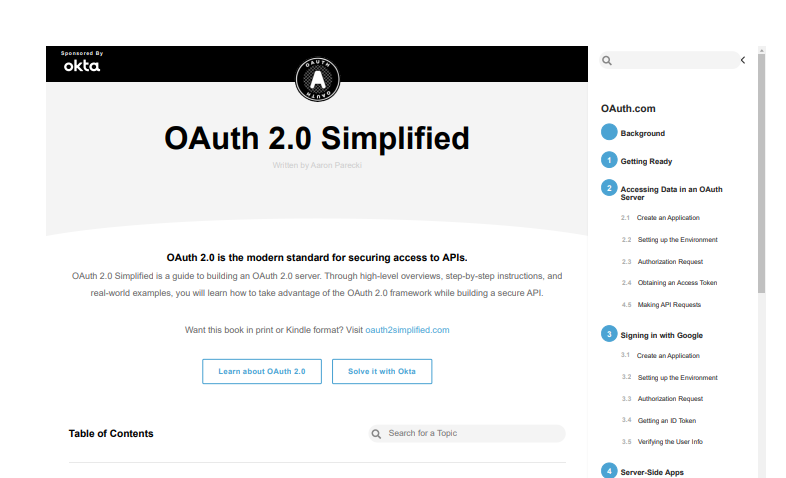
The menu on the right in this image does not normally appear on the desktop page. The conversion may have captured an intermediate state before the page finished loading. Some pages also had broken layouts.
ilovepdf
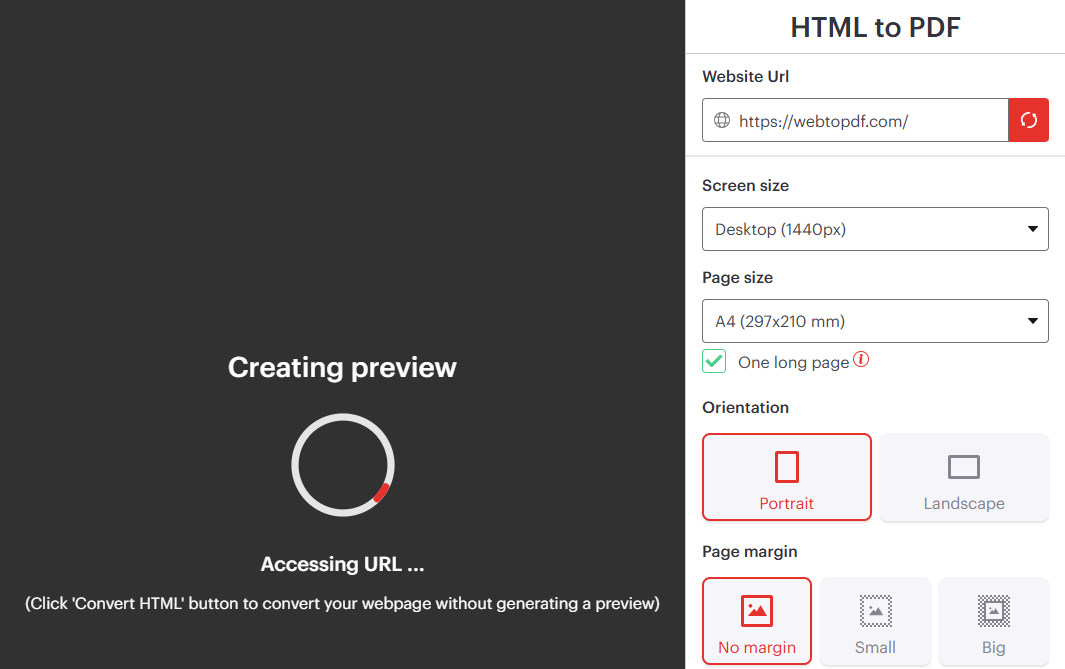
iLovePDF also provides a fairly complete set of conversion options. One useful feature lets users preview the page before conversion. The preview appears to be a browser screenshot: users can view it but cannot edit the page directly.
The output suggests that iLovePDF does relatively little additional processing of the original page. It largely generates the PDF as the page appears, so irrelevant elements such as cookie consent popups may remain in the output.
web2pdfconvert
Web2pdfconvert surprised me the most. Its page is simple, yet it has plenty of options and can save files to third-party cloud storage. More importantly, it produced the most consistent PDFs and performed best in this test.
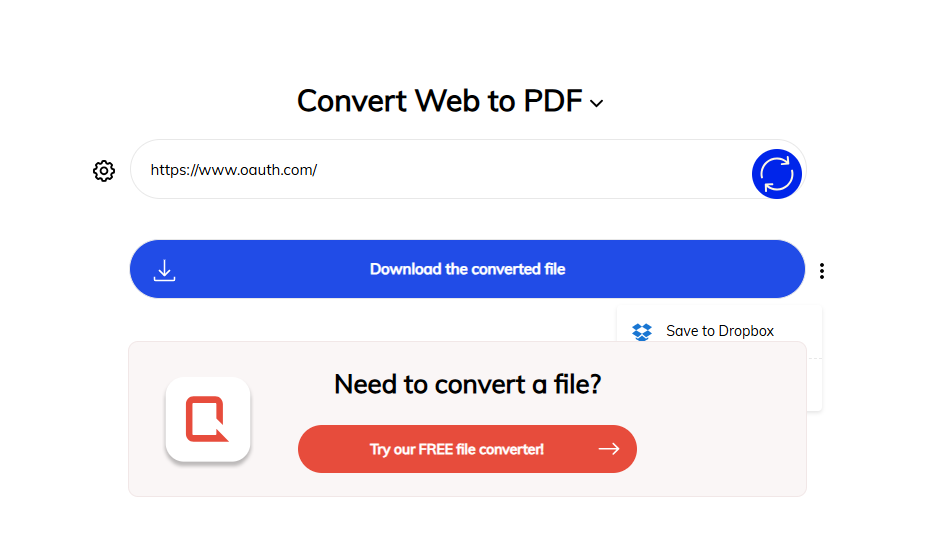
It looks more like an online demo for ConvertAPI, and the footer confirms that ConvertAPI provides the conversion functionality. Calling that service directly from the server would be convenient if a custom implementation fell short. However, commercial licensing is expensive, and long-term use would significantly increase the cost per conversion.
I also tried a few lower-ranking products, whose results varied considerably. Comparing these products led to three useful conclusions:
- Text was selectable in almost all the exported PDFs. This indicates that mainstream products do not simply take a screenshot of a webpage and put the image in a PDF. I initially considered that approach, but it loses text selection, copying, and search, making it unsuitable as the primary implementation.
- Few products emphasize batch conversion. This may be worth investigating further.
- Paper size, orientation, backgrounds, and margins are already common features. Adding these options alone is unlikely to distinguish a product. Previews and ways to adjust the output before conversion are more likely to improve the actual experience.
Commercially, webpage-to-PDF conversion is not a particularly promising product direction. The leading websites have been operating for years. They have old domains, many backlinks, strong domain authority, and good conversion results, making them difficult to outperform. The keyword is also highly specific and has limited search volume:
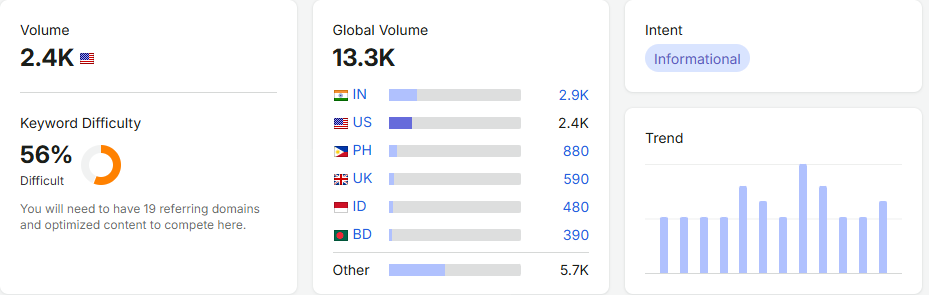
Even ranking first would bring limited traffic. The current top-ranking site's domain is about 20 years old, yet the site receives only around 400,000 visits per month.
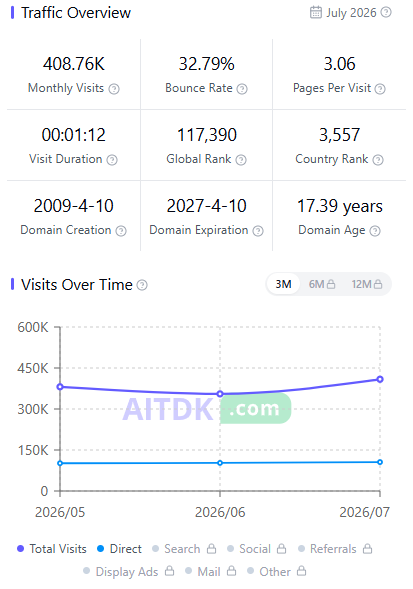
This makes it a difficult market with limited traffic potential, so I do not expect it to earn much. My purpose, though, is to demonstrate the complete process of developing and launching a real product with Saavo. I have already bought the domain, so I will continue with modest expectations.
I also exported related keywords and asked AI to analyze them. Its assessment was optimistic, but I am skeptical. The average DR for these keywords is around 40–55, making it difficult for a new site to see results quickly.
Product design
Real market research would be more detailed and thorough than the overview above, but we will not take it further here. Market research helps you decide whether to build a product and establishes its general direction. In a highly competitive market, if your competitors' sites are better than yours in both functionality and design, building the product may have little value.
Consider whether you can stand out from those competitors. New and improved features matter, but design innovation and a better user experience are even more important. These sites have been established much longer and have user bases several orders of magnitude larger than yours. Outranking them quickly will be difficult, and you may not even reach the top ten. Even with stronger features, a better-looking design, and a better user experience, you will inevitably need time to build a user base and brand recognition.
Consider these issues during market research. If your features are weaker than or roughly equivalent to theirs, there is little reason to continue. Only by doing better can you potentially gain a place in the market and justify moving on to product design.
Product design is fundamentally about deciding what the product will do, how it will do it, and how much to include in the first release.
In the current Google search results, Web2pdfconvert offers a noticeably better user experience than Webtopdf but ranks lower. There are certainly several reasons, but the amount of page content probably plays a part. Web2pdfconvert's page is so minimal that it has very little text, making it hard for search engines to determine which features it provides. Webtopdf describes its features more fully and looks more professional. I can use that approach as a reference for my own site.
Initially, the website will have only a homepage. The conversion tool will sit at the top, ready to use as soon as the page opens. Below it, descriptions of the features, use cases, and frequently asked questions will provide text for SEO. The color palette should be simple so it does not distract from the tool. The layout takes inspiration from the free tool pages on Ahrefs.
The two Chrome extensions in the search results also suggest that some users want to convert pages as they browse. An extension could be a future addition that makes conversion convenient and brings traffic to the site. It will be excluded from the first release to keep the scope manageable.
For feature differentiation, I want to focus on interaction. A complete set of basic options is necessary, but live previews are where I see the most value. After changing the paper size, orientation, or margins, users should immediately see an approximate result instead of waiting for the file to be generated and repeatedly trying again.
Two further directions are worth exploring later. One is AI chat, allowing users to hide page elements, modify content, or adjust layouts through natural language. The other is batch conversion, addressing bulk processing needs that existing products rarely serve. Both need validation. In particular, batch conversion keywords need further research. The absence of a feature in competing products does not guarantee an opportunity.
There may be many ideas, but the first release needs a limited scope. WebpageToPDF has one core task: a user enters a public webpage URL, chooses the paper size and layout, then generates and downloads a PDF.
The first release will cover only this complete workflow:
Enter a URL → Configure the PDF → Submit the job → Wait for conversion → Download the fileIt will support only public HTTP/HTTPS webpages, with basic options for A4/Letter, landscape/portrait orientation, background printing, and margins. Signed-in users will be able to view their conversion history.
Private pages requiring cookies, a Chrome extension, batch conversion, an API, team workspaces, AI adjustments, and a webpage editor are all excluded for now. The first release will focus on the core functionality. A Chrome extension is still worth planning for later because it can read pages where the user is already signed in, addressing the server's inability to access members-only content. That remains outside the first-release scope.
During product design, you can discuss ideas with AI and ask it to generate a few design mockups. This step produces designs only, with the aim of defining the core UI, interaction flow, and feature list. That separation is flexible, though. I prefer to iterate between product design and technical prototyping.
The stages are not fixed. When you have a new idea or a better approach, you can return to any earlier stage and adjust it. Continued iteration is how you find the product that works best for you. You can also finish designing every feature during product design and then move directly into technical prototyping. It depends on your habits and preferences.
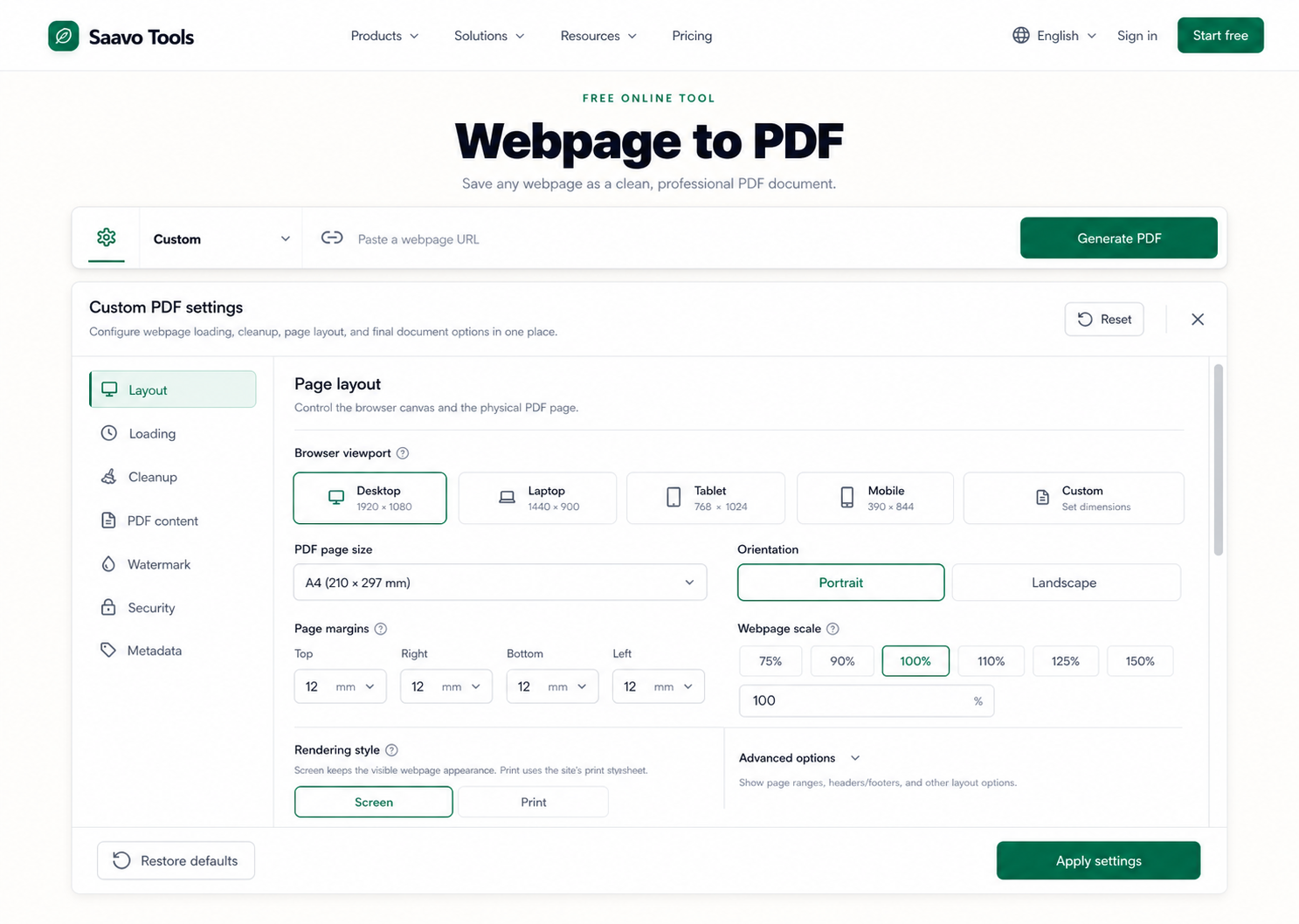
AI generated several UI designs during this stage. After a few iterations, I settled on the version below:
Technical prototyping
Before implementing the actual product, I prefer to explore the technical approach to avoid unnecessary rework during development. Webpage-to-PDF conversion is not technically complex. There are two common approaches:
-
Convert a webpage screenshot to PDF
Take a screenshot of the webpage, then place the image in a PDF. This is simple to implement and gives good visual results, but it loses text selection, copying, and search, making it unsuitable as the primary implementation.
-
Generate the PDF directly with a browser
Open the target page in a browser and run
page.pdf(). The browser generates the PDF file automatically. This gives the best results, but webpage structures vary widely, so rendering them directly as PDFs can cause layout or rendering problems.
The main challenge is laying out and rendering the webpage before generating the PDF. PDFs follow the conventions of printed documents, while web layouts are inherently fluid. This creates significant differences between the two layouts. A good product should process the page beforehand, for example by hiding a consent popup on the homepage, a sidebar menu, or copyright information in the footer.
There is no single solution for every webpage, so I decided to investigate how users could choose which content to render, ideally with an interactive experience. This is the main way I currently intend to distinguish the product from similar tools.
I initially considered two ideas. The first was to introduce AI so users could choose what to render through chat, with requests such as “Hide the consent popup on the homepage,” “Hide the sidebar menu,” or “Hide the copyright information in the footer.” The second was the remote live browser mentioned earlier: users would see the browser's actual live output and interact with it using a mouse, much as they would when debugging a webpage locally.
The results did not live up to the ideas. For the first approach, I tried several prototypes. The functionality worked, but I found it offered little value at a substantial cost. What users actually want is for distracting ads, popups, and floating windows to be hidden automatically, and for any necessary interactions with page elements to happen automatically. Most of this does not require AI. AI can do it, but its accuracy is limited and its cost is high. A set of explicit rules may be more appropriate.
I found quite a few products offering remote live browsers, most of which worked well, but they did not fit my goal. The product is meant to convert webpages to PDFs, rather than let users debug pages remotely. Cloudflare's Browser Run can provide similar functionality. I tested some prototypes, but the results were unsatisfactory: they were slow and expensive, making this an unsuitable approach.
I did eventually adapt the second idea, using screenshots for live previews instead of a remote browser directly. For webpage-to-PDF conversion, this is simpler, more convenient, less expensive, and relatively easy to implement.
After validating the prototypes, I revised the initial scope to include Visual Editor in the first release, while still excluding AI adjustments, batch conversion, and an API. I also kept the screenshot approach as a quick mode that prioritizes reproducing the webpage's appearance. Browser export is used when text selection, copying, and search are needed. The rest of this tutorial follows this revised scope, with three core modes:
- Quick Convert uses screenshots to generate the final PDF quickly. It most closely reproduces the original webpage, but text in the PDF cannot be selected, copied, or searched.
- Custom uses the traditional browser PDF export approach. Users can choose the paper size, orientation, background, margins, and other options. Text in the PDF can be selected, copied, and searched, but the output may differ from the original webpage.
- Visual Editor extends Custom mode. It includes all Custom features and adds interactions that let users hide specific page elements or change the default styles of certain element nodes, giving them more flexibility and control over the output.
These are some of the ideas I explored during development. I have not covered the product code in detail because implementations vary greatly between products. This series focuses on using the Saavo template to build a real product, rather than the details of its business code.
With AI, technical prototyping serves as a place to experiment. You can first let AI implement the product features independently. Once the prototype meets your acceptance criteria, break up the code and gradually migrate it into the Saavo template. Human oversight of the migration is recommended.
This gives you a chance to understand the full product logic and refine the AI-generated code. Imperfect code or messy logic is manageable if each change stays within a single function or file. Problems found later will still be easy to locate and refactor. Clear boundaries are essential.
Checklist
By the end of this article, you should understand the three conversion modes and their use cases, and have a prototype ready to migrate.
Tutorial overview · Next: Create the project and configure branding